Automate Notion, Without Leaving Notion.
Build powerful workflows, connect external apps, and run custom logic — all from an embedded dashboard living directly inside your Notion workspace. No external tabs. No technical setup.
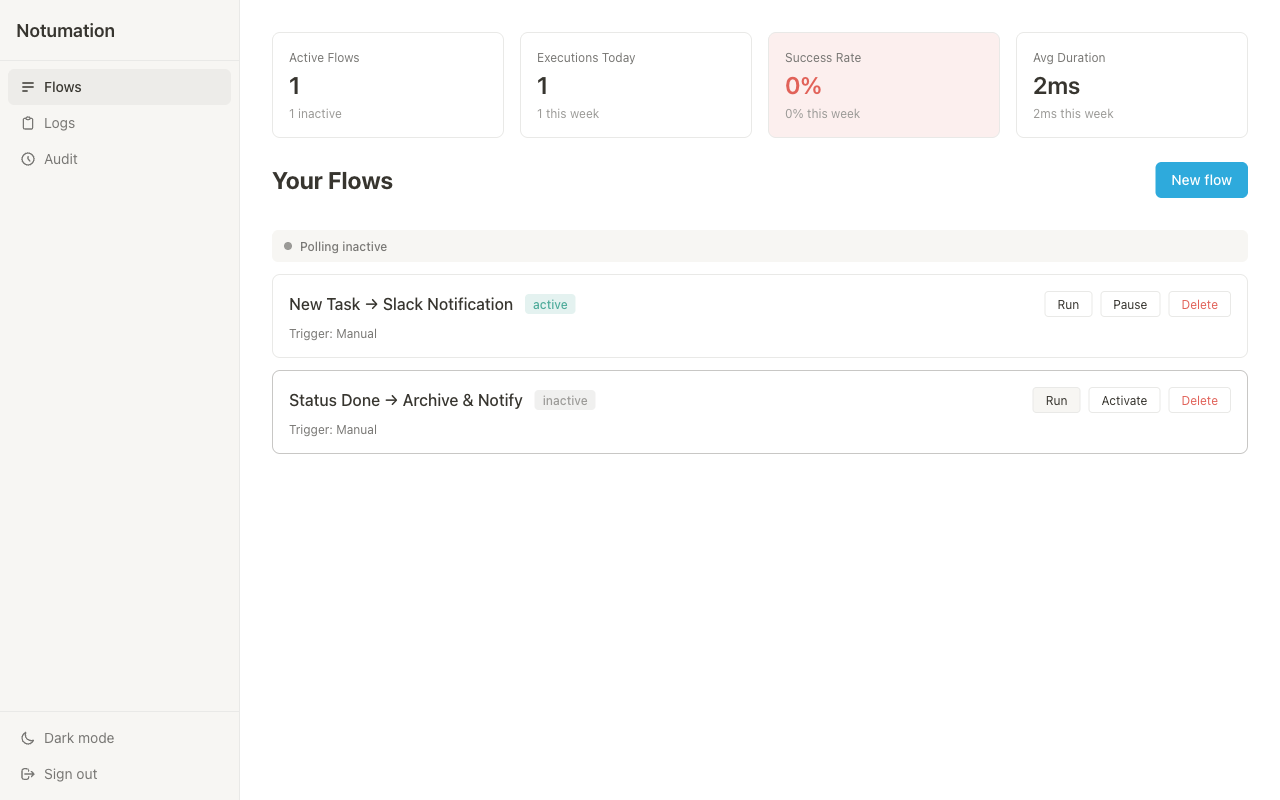
Why Notumation?
100% Embedded
Stop context switching. Your flows, logs, metrics, and settings live where your work lives.
Works on Free Plans
No paid Notion account required. Our smart polling engine detects changes in your databases every 30 seconds.
Visual Builder or Custom Code
Snap together triggers and actions visually, or write custom JavaScript in a secure sandbox when you need maximum control.
How It Works
Install in One Click
Authorize via Notion and a dedicated Notumation dashboard appears in your workspace.
Pick a Trigger
Watch for new database rows, status changes, checked boxes, or incoming webhooks.
Chain Actions
Query databases, update properties, run loops, send Slack messages, or trigger external APIs.
Everything You Need
17 Triggers
Database changes, status transitions, webhooks, schedules, and more.
31 Actions
Create, update, duplicate, move rows; manage databases; call APIs; run code; and more.
Conditional Logic
If/else branching and for-each loops with configurable safety limits.
Execution Logs
Per-step traces with timing, errors, and full audit trail.
Auto Retries
Exponential backoff, timeouts, and concurrent execution queues.
JS Sandbox
Write custom JavaScript in a secure sandbox with access to flow data.
Simple Pricing
Pro
- Unlimited flows & steps
- 5,000 executions/mo
- All triggers & actions
Frequently Asked Questions
Notumation is an automation platform that lives inside your Notion workspace. Build workflows that trigger on database changes, chain actions together, and connect to external services — all from an embedded dashboard.
No. Notumation works on all Notion plans including free. Paid Notion accounts get real-time webhooks, while free accounts use our smart polling engine that checks for changes every 30 seconds.
New users get 30 days of full Pro features. After the trial, your account moves to the Free tier. You can upgrade anytime to unlock all features.
Your flow configurations are stored in your own Notion workspace — not on our servers. Authentication tokens are encrypted with AES-256-GCM. We only access the data your automations need.
Yes. The JavaScript sandbox lets you write and execute custom logic with access to trigger data and previous step results. It runs in a secure environment with no network or filesystem access.
Failed steps are recorded in detailed execution logs with per-step traces. You can configure automatic retries with exponential backoff. The dashboard shows exactly what went wrong and why.
Absolutely. Use the HTTP Request action to call any API, or set up incoming webhooks to trigger flows from external services like GitHub, Zapier, or Stripe.
Cancel anytime from your Lemon Squeezy dashboard. Your account moves to the Free tier and your existing flows continue working within free tier limits.